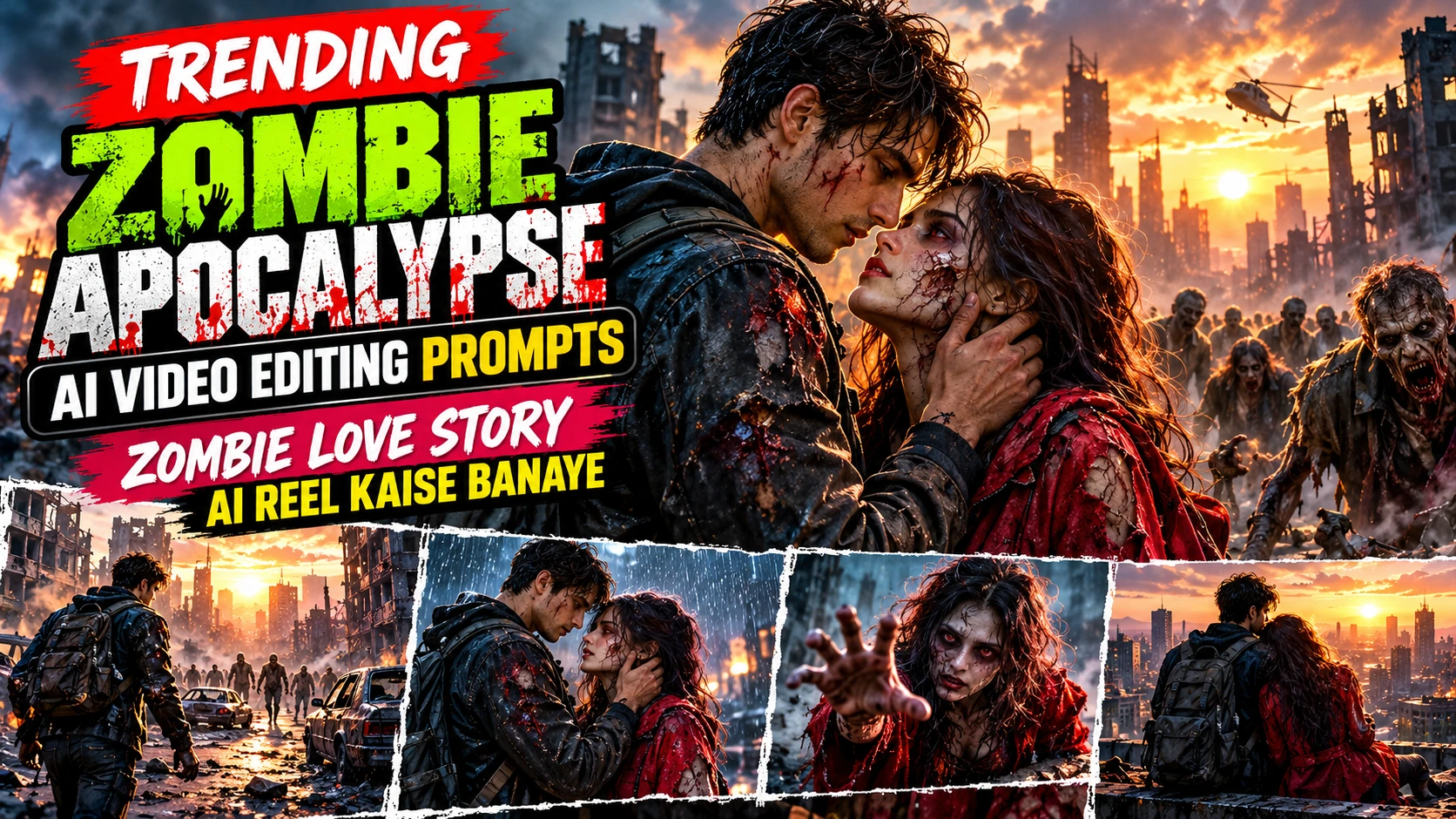
Zombie Apocalypse AI videos are becoming a creative trend for short-form content. These videos combine cinematic zombie effects, emotional love stories, abandoned cities, dramatic survival scenes, and realistic AI-generated characters. Creators use AI image and video tools to turn simple ideas into movie-style Instagram Reels, YouTube Shorts, and TikTok videos.
If you want to create a viral-style Zombie Love Story AI Reel, you do not need professional filmmaking equipment. You can start with a story idea, a few AI prompts, character reference images, and a video editing app.
In this guide, you will learn how to create a Zombie Apocalypse AI video, generate romantic zombie scenes, maintain consistent characters, and use ready-to-copy AI prompts for your next Reel.
What Is a Zombie Apocalypse AI Video?
A Zombie Apocalypse AI video is a fictional cinematic video created using artificial intelligence tools. It usually shows a world where a zombie outbreak has changed everyday life. The story may focus on survival, friendship, romance, fear, or the emotional connection between two characters.
A Zombie Love Story adds a romantic storyline to the zombie theme. For example, a human survivor falls in love with a zombie, or two lovers try to find each other in an abandoned city. Popular scene ideas include:
- A couple meeting during a zombie outbreak.
- A human protecting their infected partner.
- Two lovers walking through an abandoned city.
- A dramatic reunion during a zombie attack.
- A heartbreaking farewell or hopeful ending.
- Cinematic transformations using AI video effects.
The key is to create a clear story rather than showing unrelated zombie clips.
Best AI Tools to Create Zombie Apocalypse Reels
You can combine different tools depending on your budget and the type of video you want to create.
| AI Tool | Main Use |
|---|---|
| ChatGPT | Story ideas, scripts, and AI prompts |
| Google Gemini | Character concepts and image generation where available |
| Google Flow | Cinematic AI video generation, subject to access |
| Kling AI | Image-to-video and text-to-video generation |
| Hailuo AI | Cinematic AI video clips |
| CapCut | Editing, transitions, captions, and effects |
| ElevenLabs | Voiceovers and character dialogue, depending on plan |
Free credits, supported features, watermarks, and export options may change. Check each platform before starting your project.
How to Make a Zombie Love Story AI Reel
Follow these steps to create a short cinematic video.
Step 1: Create a Romantic Zombie Story
Start with a simple story that viewers can understand quickly.
For example, a young man searches an abandoned city for his girlfriend after a zombie outbreak. He finally finds her, but she has already become a zombie. Instead of running away, he recognizes her through a familiar gesture. This creates suspense and an emotional ending.
Step 2: Generate Character Images
Create reference images for your two main characters before generating video clips.
Keep their facial features, hairstyles, clothing, and accessories consistent. For example, your male character could wear a black jacket and carry a backpack, while the female character wears a red coat. Reuse the reference images when your AI tool supports image guidance.
Step 3: Generate Cinematic Video Clips
Use text-to-video or image-to-video generation to create individual scenes. Start with short clips, such as a character walking through an abandoned street or a couple meeting in the rain.
Do not expect one prompt to generate a complete, polished Reel. Generate separate clips and assemble them during editing.
Step 4: Add Voiceover and Background Music
Use emotional narration, short dialogue, and suitable sound effects.
You can include distant zombie groans, footsteps, wind, rain, and dramatic music. Keep the dialogue clear so viewers understand the story even when the visuals are intense.
Step 5: Edit in Vertical Format
For Instagram Reels and YouTube Shorts, use a 9:16 aspect ratio.
Arrange the clips in story order. Add subtitles, adjust the pacing, and use transitions only when they support the scene. Remove awkward pauses and clips with obvious AI errors.
Step 6: Export Your Final Reel
Review the complete video before publishing. Check character consistency, audio levels, subtitles, and visual glitches.
A 20 to 45-second Reel can be a practical starting point for testing your story idea.
Trending Zombie Apocalypse AI Video Editing Prompts
The following prompts are ready to copy into compatible AI image or video generators. They use an original fictional story and characters.
Prompt 1: Zombie Apocalypse Cinematic Opening
AI Video Prompt:
Create a cinematic zombie apocalypse scene in a deserted modern city at sunset. Empty streets are filled with abandoned cars, broken shop windows, drifting smoke, and scattered debris. A young man wearing a black leather jacket and a dark backpack walks cautiously through the street, searching for someone he loves. Distant zombie silhouettes move through the fog. Slow tracking camera, realistic environmental details, dramatic orange and blue lighting, suspenseful atmosphere, cinematic film quality, natural body movement, vertical 9:16 video.Prompt 2: Zombie Love Story Couple
AI Image Prompt:
Create an original cinematic portrait of a young couple standing together in a post-apocalyptic city. The man wears a black jacket and dark trousers. The woman wears a long red coat, with slightly messy dark hair and subtle fictional zombie infection details around her skin. They look into each other's eyes with sadness and affection. Abandoned buildings, mist, soft rain, dramatic backlighting, realistic faces, detailed clothing textures, emotional romantic atmosphere, photorealistic movie still, vertical 9:16 composition.Prompt 3: Human Finds His Zombie Girlfriend
AI Video Prompt:
Create an emotional cinematic video of a young man searching an abandoned street during a zombie outbreak. He suddenly sees his girlfriend standing beneath a flickering streetlight. She wears a familiar red coat, but her skin shows subtle signs of a fictional zombie infection. He slowly approaches her, raises his hand, and whispers her name. She recognizes him and gently reaches toward his face. Rain falls around them, distant buildings disappear into fog, expressive facial movements, slow camera push-in, emotional atmosphere, consistent character appearances, vertical 9:16.Prompt 4: Zombie Girlfriend Protects Her Boyfriend
AI Video Prompt:
Show a zombie girlfriend standing between her human boyfriend and a group of approaching zombies inside an abandoned shopping street. She turns toward him, gives him a reassuring look, and moves forward to distract the approaching creatures while he searches for an escape route. Dramatic camera movement, rain-soaked pavement, flickering lights, realistic zombie movements, cinematic suspense, emotional storytelling, non-graphic action, consistent clothing and faces, vertical 9:16 video.Prompt 5: Emotional Zombie Couple Reunion
AI Video Prompt:
Create an emotional reunion between two lovers in a ruined city after a zombie apocalypse. The man recognizes his girlfriend through a familiar bracelet she wears. He slowly walks toward her, afraid she might no longer remember him. She looks at the bracelet, raises her eyes, and gently holds his hand. Dust floats through the golden sunset, broken buildings stand in the background, subtle facial expressions, realistic motion, slow cinematic camera movement, romantic dramatic lighting, consistent characters, vertical 9:16.Prompt 6: Romantic Rain Scene in a Zombie World
AI Video Prompt:
Show a human survivor and his infected girlfriend standing beneath a damaged bus shelter during heavy rain. The man gently places his jacket around her shoulders. She looks at him with sadness and affection. Abandoned vehicles, wet roads, distant city lights, soft rain droplets, cinematic reflections, realistic facial expressions, intimate close-up shots, emotional piano music atmosphere, detailed clothing, consistent characters, photorealistic cinematic style, vertical 9:16.
Prompt 7: Zombie Apocalypse Chase Scene
AI Video Prompt:
Create a suspenseful cinematic chase through a deserted city alley. A young couple runs through rain and fog while fictional zombies approach from behind. The man holds his girlfriend's hand as they turn into a narrow passage and hide behind a damaged vehicle. Use a handheld-style tracking camera, realistic running movements, atmospheric lighting, debris on the ground, dramatic sound design, clear action, no graphic gore, consistent character appearance, vertical 9:16 video.Prompt 8: Heartbreaking Zombie Love Story Ending
AI Video Prompt:
Create a heartbreaking cinematic ending in which a young man and his infected girlfriend sit together on a rooftop overlooking an abandoned city at sunrise. She gently holds his hand while he rests his head against hers. The sky changes from dark blue to warm gold. They look toward the distant horizon as the city remains silent. Expressive faces, subtle movements, realistic lighting, slow camera pullback, emotional romantic atmosphere, cinematic composition, consistent characters, vertical 9:16.Prompt 9: Zombie Transformation AI Video
AI Video Prompt:
Create a fictional cinematic transformation scene showing a young woman slowly changing into a zombie in an abandoned hospital corridor. Her eyes gradually become pale, faint fictional infection patterns appear on her skin, and her expression changes from confusion to fear. Her boyfriend stands nearby, watching helplessly and reaching for her hand. Use gradual visual changes, consistent facial identity, realistic lighting, subtle camera movement, emotional suspense, non-graphic effects, vertical 9:16 video.Prompt 10: Zombie Love Story Final Cinematic Shot
AI Video Prompt:
Show a young human survivor walking through a ruined city while holding a red scarf that belonged to his infected girlfriend. He stops at a familiar street corner and looks toward the sunrise. In the distance, a female silhouette wearing a red coat appears through the mist. He turns toward her in disbelief. Slowly zoom out as golden light fills the abandoned street. Emotional mystery, cinematic color grading, realistic environment, subtle wind, natural body movement, strong ending shot, vertical 9:16.Bonus: Master Prompt to Create a Complete Zombie Love Story
Use this prompt in ChatGPT to plan your complete Reel before generating the video clips.
Copy this AI prompt:
Act as a professional cinematic storyteller and AI video prompt engineer. Create an original Zombie Apocalypse Love Story for a 30 to 45-second Instagram Reel or YouTube Short.
The story follows a young man searching for his girlfriend after a zombie outbreak. He discovers that she has become infected, but she still recognizes him.
Requirements:
- Start with a powerful visual hook in the first three seconds.
- Divide the story into 6 to 8 short scenes.
- Provide a separate AI video generation prompt for every scene.
- Keep both characters visually consistent throughout the video.
- Include cinematic camera angles, lighting, movements, and environmental details.
- Add short emotional dialogue or voiceover where appropriate.
- Include background music and sound effect suggestions.
- Use vertical 9:16 framing for social media.
- End with a powerful emotional twist or an intriguing final shot.
- Keep the story original and suitable for a general audience.
Format the output with scene numbers, estimated duration, visual description, dialogue, sound effects, and ready-to-copy video prompts.
How to Maintain Consistent Zombie Characters
AI video generators may change a character’s face, hairstyle, clothing, or proportions between clips. Follow these practical steps:
- Create reference images for both characters before generating video.
- Use the same character descriptions in every prompt.
- Reuse reference images where image guidance is supported.
- Keep clothing and accessories unchanged unless the story requires a change.
- Generate a short test clip before creating the full Reel.
- Review every clip and regenerate scenes with major visual inconsistencies.
For example, always describe the male character as wearing a black leather jacket, dark trousers, and a grey backpack. Describe the female character as wearing a long red coat and a silver bracelet.
Best Editing Tips for a Cinematic Zombie Reel
Use these editing techniques to improve the final result.
- Hook viewers immediately with an abandoned city, a sudden encounter, or an emotional reveal.
- Use close-ups during romantic or emotional scenes.
- Use wider shots to establish the ruined city and its atmosphere.
- Add subtle camera shake during chase scenes, but keep the characters visible.
- Match sound effects to footsteps, doors, rain, and character movements.
- Add readable subtitles for dialogue and narration.
- Keep the pacing tight. Remove repetitive shots and unnecessary pauses.
- Use a consistent color grade to give all scenes the same cinematic look.
Can You Create Zombie AI Reels for Free?
You can start with free or limited-access AI tools. However, generating high-quality video may require credits, waiting time, or a paid plan, depending on the platform.
To reduce costs, create the story before generating clips. Use reference images, generate only the scenes you need, and edit the finished clips with a free video editor.
If you publish the result on YouTube or another monetized platform, use original storytelling, follow the platform’s synthetic-content disclosure rules where applicable, and ensure you have the necessary rights to the audio and other assets.
Final Thoughts
Zombie Apocalypse AI video editing gives creators a way to combine horror, romance, suspense, and cinematic storytelling. Start with a short Zombie Love Story, use the prompts above to create each scene, and maintain consistent characters throughout the Reel.
Focus on a clear storyline, realistic movements, emotional expressions, and well-timed sound effects. These elements will help your AI-generated video feel more cohesive and engaging.