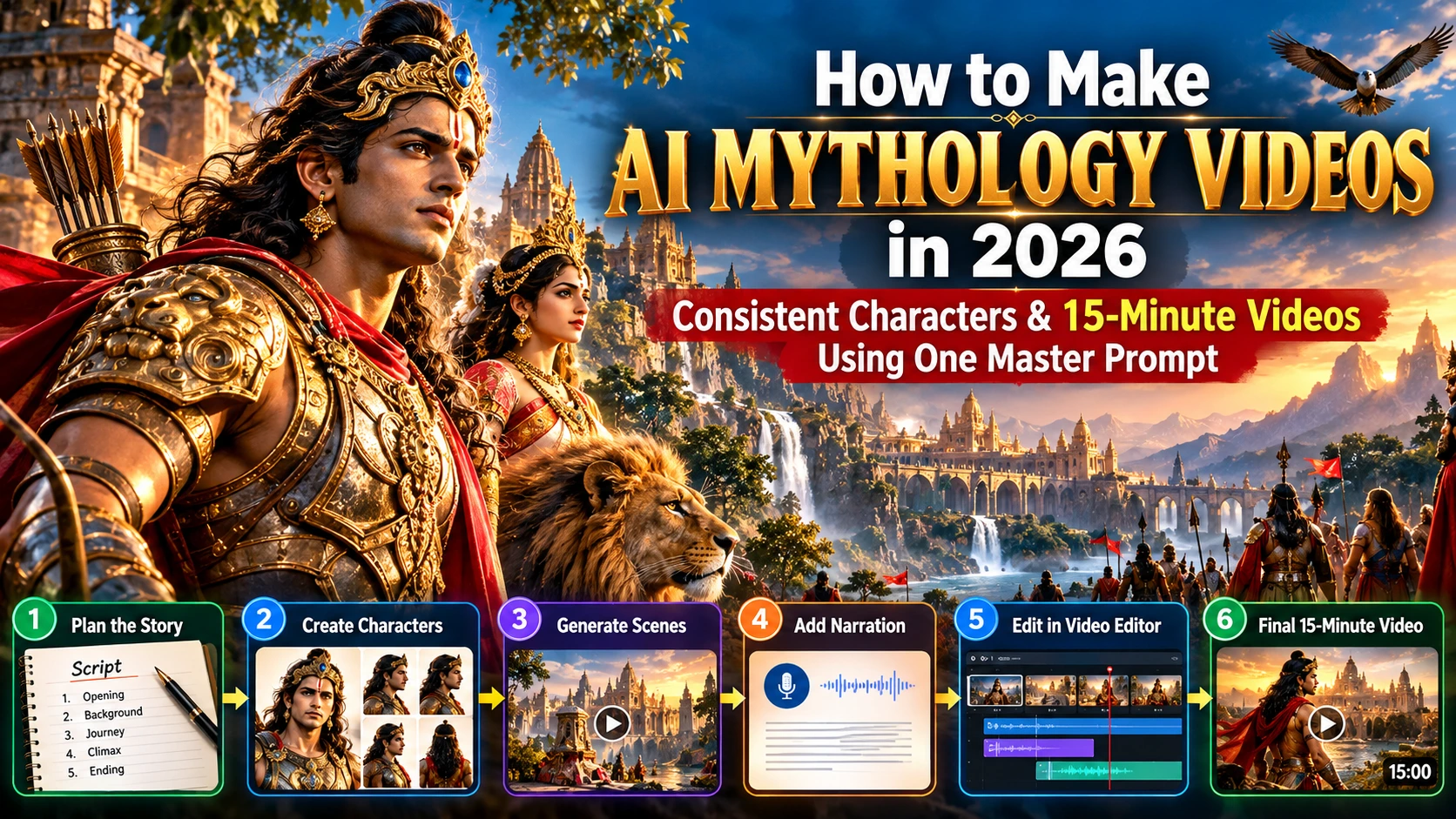
Have you ever watched a cinematic AI mythology video on YouTube or Instagram and wondered how it was created? From ancient kingdoms and legendary warriors to mysterious forests and dramatic battles, AI tools make it possible to turn creative story ideas into impressive visual experiences.
The good news is that you do not need to be a professional filmmaker to start creating these videos. With tools such as ChatGPT, Gemini, AI image generators, and AI video generators, you can plan a story, design characters, generate scenes, create narration, and edit everything into a complete video. However, there is one common problem. When you generate different scenes using AI, the main character may look different in every clip. Facial features, clothing, hairstyles, and other details can change unexpectedly.
Another challenge is creating a longer video. A single prompt can help you plan an entire story, but most workflows require multiple generated clips and editing to produce a complete 15-minute video.
In this guide, you will learn how to create AI mythology videos step by step, maintain consistent characters, write cinematic prompts, and assemble your scenes into a longer video.
What Are AI Mythology Videos?
AI mythology videos are videos created with the help of artificial intelligence tools to tell stories inspired by mythology, folklore, legends, and ancient civilizations.
Creators can use AI to generate characters, landscapes, cinematic scenes, narration, music, and visual effects. Some popular types of AI mythology videos include:
- Cinematic mythology stories.
- AI-generated animated legends.
- Ancient kingdom and warrior stories.
- Mythology-inspired fantasy battles.
- Historical and cultural storytelling.
- AI-generated spiritual and devotional visuals.
- Long-form narrated mythology videos.
- Short mythology videos for YouTube Shorts and Instagram Reels.
For example, you could create a story about a fictional warrior who travels through an ancient kingdom, encounters mysterious challenges, and discovers a hidden truth.
AI tools can help visualize each part of the story. However, the final quality depends on your storytelling, prompts, editing, and review of the generated content.
Important: If you create videos based on religious or cultural traditions, treat the subject respectfully. Verify important details and clearly distinguish creative interpretations from established stories.
Tools You Need to Create AI Mythology Videos
You do not need every available AI tool. Start with a few tools that cover the main stages of video production.
1. ChatGPT or Gemini
AI assistants can help you develop story ideas, write scripts, create character descriptions, divide stories into scenes, and prepare video prompts.
You can also ask them to suggest camera movements, lighting, narration, and transitions.
2. AI Image Generator
An AI image generator can help you create character reference images, ancient landscapes, costumes, and visual storyboards.
These images are particularly useful when you want a character to look similar across multiple scenes.
3. AI Video Generator
AI video generators can turn text prompts or reference images into short video clips. Depending on the tool, you may be able to control camera movement, character actions, lighting, and visual style.
Some tools also support reference images or other features designed to improve consistency. Availability depends on the tool and subscription.
4. Voice Generation Tool
Narration helps connect your scenes and makes the story easier to follow.
You can record your own voice or use a voice-generation tool, provided you have the necessary rights to use the voice and comply with the tool’s terms.
5. Video Editing Software
A video editor allows you to combine clips, add narration, synchronize background music, create subtitles, and export your finished video. For beginners, it is best to start with a simple editing workflow before experimenting with complicated effects. Always check the current pricing, usage limits, and commercial-use terms of your chosen tools.
Step 1: Choose Your Mythology Story
Before generating images or videos, decide what your story will be about. A good story needs a clear beginning, middle, and ending. Random cinematic scenes may look attractive, but they often fail to hold viewers’ attention when there is no connection between them.
For example, you could create a fictional mythology-inspired adventure involving an ancient kingdom, a mysterious prophecy, and a hero who must overcome several challenges.
Divide your story into five main parts:
- 1. Opening: Introduce the setting and the main character.
- 2. Background: Explain the situation and the central conflict.
- 3. Journey: Show the character facing challenges and making discoveries.
- 4. Climax: Present the most important confrontation or turning point.
- 5. Ending: Resolve the story and provide a meaningful conclusion.
This structure gives your AI-generated scenes a clear purpose.If you are retelling a traditional mythology story, research its important details before writing the script. Do not present invented dialogue or fictional events as verified historical facts.
Step 2: Create Consistent AI Characters
Character consistency is one of the most important parts of AI video production. Imagine generating five scenes featuring the same warrior. In the first scene, the warrior has long black hair and golden armour. In the second scene, the hairstyle changes. In the third, the face looks different.
These inconsistencies can make your final video feel disconnected. To reduce this problem, create a character reference before generating your scenes. Your character description should include:
- Character name and role.
- Facial features.
- Hairstyle and hair colour.
- Clothing and costume details.
- Jewellery and accessories.
- Body proportions.
- Distinctive visual features.
- General personality and expressions.
Where supported, use the same reference image when generating new scenes.
AI Prompt 1: Create a Consistent Mythology Character
Copy the following prompt into ChatGPT, Gemini, or a suitable image-generation tool.
Create a detailed character reference for an original fictional mythology-inspired cinematic story.

Character Name: [Enter Character Name]
Character Role: [Hero, Warrior, King, Guardian, or Other]
Story Setting: An ancient legendary kingdom.

Appearance:
Describe the character's facial features, hairstyle, age range, body proportions, clothing, footwear, jewellery, and distinctive visual details.

Visual Style:
Cinematic realism, detailed fabric, realistic materials, natural skin texture, dramatic but balanced lighting, and a coherent colour palette.

Character Consistency:
Keep the character's face, hairstyle, clothing, accessories, body proportions, and distinctive features consistent in all future scenes.

Create the following references:
1. Full-body character portrait.
2. Front-facing portrait.
3. Three-quarter portrait.
4. Side profile.
5. A written description that can be reused in future prompts.

Use an original fictional design. Avoid unnecessary costume changes, distorted hands, random text, logos, and watermarks.
After generating the character reference, save the image and description.
Use them when generating future scenes. Remember that reference images can improve consistency but cannot guarantee identical results in every AI-generated clip.
Step 3: Use One Master Prompt to Plan the Entire Video
A master prompt helps you organize your video before generating individual clips.
Instead of writing separate instructions from scratch for every scene, you can ask an AI assistant to prepare the story structure, character descriptions, scene list, narration, and video prompts in one response.
However, a master prompt is a planning tool. It does not guarantee that an AI video generator will create a complete 15-minute video in a single operation.
AI Prompt 2: Master Prompt for a 15-Minute Mythology Video
Copy this prompt and replace the topic with your preferred story.
Act as a professional storyteller, screenplay writer, visual director, and AI video production planner.

Create a detailed production plan for a mythology-inspired cinematic video.

Video Topic: [Enter Your Story Topic]
Target Duration: Approximately 15 minutes
Aspect Ratio: 16:9
Visual Style: Cinematic, atmospheric, detailed, and visually consistent
Audience: General viewers interested in mythology and storytelling.

Follow these instructions:

1. Create an engaging title and story summary.
2. Develop a beginning, middle, climax, and ending.
3. Create detailed character sheets for all major characters.
4. Describe the environments, costumes, architecture, lighting, and colour palette.
5. Divide the story into numbered scenes.
6. Assign a realistic estimated duration to each scene.
7. Write a separate AI video prompt for every scene.
8. Include character actions, camera movements, lighting, mood, and background activity.
9. Write narration for every scene.
10. Suggest suitable sound effects and transitions.
11. Explain which character reference images should be reused.
12. Identify scenes that may need multiple generated clips.
13. Provide an editing checklist for assembling the final video.

Maintain visual consistency throughout the story.

Do not claim that one prompt will automatically generate the complete 15-minute video. Create a practical production plan that can be executed using multiple clips.

If the story is based on traditional mythology or cultural accounts, distinguish established story elements from creative additions.

Present the result in clearly labelled sections.
Once the AI produces the plan, review the story before generating any video clips.
Make sure the scenes follow a logical sequence and that the ending resolves the central conflict.
Step 4: Generate Cinematic Video Scenes
After preparing the story and character references, start generating individual scenes. For example, your video might include:
- An establishing shot of an ancient kingdom.
- A close-up introduction of the main character.
- A scene showing the character beginning a journey.
- A dramatic encounter with another character.
- A confrontation or important discovery.
- A final shot showing the outcome of the story.
Generate these scenes separately so that you can review and replace clips that contain visual errors.
AI Prompt 3: Cinematic Mythology Video Generator
Create a cinematic video clip for a mythology-inspired fictional story.

Scene Number: [Enter Scene Number]
Scene Description: [Describe What Happens]
Main Character: Use the supplied character reference image where supported.
Location: [Describe the Environment]
Time of Day: [Dawn, Day, Sunset, or Night]
Mood: [Mysterious, Peaceful, Epic, or Emotional]

Character Consistency:
Preserve the reference character's face, hairstyle, clothing, accessories, body proportions, and distinctive features.

Action:
Describe one clear action that can realistically occur within the selected clip duration.

Camera:
Specify the shot type and a simple camera movement, such as a slow push-in, gentle tracking shot, or wide establishing shot.

Lighting:
Use lighting appropriate to the environment, with coherent shadows and realistic materials.

Movement:
Use natural body movement, believable environmental motion, and smooth transitions between poses.

Visual Quality:
Detailed cinematic environments, realistic textures, consistent colour grading, and clear visual storytelling.

Avoid:
Distorted faces, flickering objects, unnecessary character changes, sudden costume changes, random text, logos, watermarks, and unrelated scene changes.

Generate only the requested scene. Keep it suitable for the planned story sequence.
Replace the scene description for every new clip. For example, one prompt might describe a character walking through an ancient forest, while another describes the character standing before a magnificent palace. Keeping each prompt focused on one main action can make the output easier to review and edit.
Step 5: Maintain Character Consistency Between Scenes
Even when individual scenes look impressive, they may not fit together naturally. A character might wear different clothing in the next scene, or the environment may suddenly change from daylight to nighttime.
To reduce these problems, follow a simple checklist before generating each clip.
- Check the character: Does the face match the reference image?
- Check the costume: Are the clothing and accessories consistent?
- Check the location: Does the environment match the story?
- Check the lighting: Does the time of day make sense?
- Check the action: Does the scene follow logically from the previous one?
- Check the camera: Does the shot help communicate the story?
If your chosen tool supports reusable character references, image-to-video generation, or other consistency features, use them where appropriate.
Do not assume that every generated clip will be correct. Review the output and regenerate scenes when important details change.
Step 6: Plan the Runtime of Your 15-Minute Video
A 15-minute video contains 900 seconds of total runtime. You should plan your scenes and narration carefully so that the finished video reaches the intended duration without unnecessary repetition. Here is an example of a 15-minute video structure.
| Video Section | Duration | Purpose |
|---|---|---|
| Opening | 1 minute | Introduce the setting and main character |
| Background | 2 minutes | Explain the story and central conflict |
| Story Development | 5 minutes | Show the journey and important events |
| Climax | 4 minutes | Present the main confrontation or turning point |
| Resolution | 2 minutes | Resolve the central conflict |
| Closing | 1 minute | Finish the story and provide a final visual |
| Total | 15 minutes | Complete video |
This is an example, not a fixed formula. Adjust the timing according to your story.
Some scenes may need more narration, while others may work better as short visual sequences.
Avoid extending a video simply by repeating the same clips. Add useful context, character development, meaningful events, and relevant narration instead.
Step 7: Write Natural Narration for the Video
Narration connects your scenes and helps viewers understand the story. A good narration script should sound natural when spoken aloud. It should not simply describe every object visible on the screen.
For a longer video, prepare the narration after completing the main story outline. Divide the script into sections that match your scenes. Then review the pacing and adjust the sentences before recording or generating the voice.
AI Prompt 4: Write Mythology Video Narration
Act as an experienced storyteller and narration writer.

Story Topic: [Enter Your Story Topic]
Target Duration: Approximately 15 minutes
Language: [Enter Language]
Tone: Cinematic, engaging, clear, and respectful
Audience: General viewers

Write a complete narration script with:

1. An engaging opening hook.
2. Background information needed to understand the story.
3. Clear transitions between scenes.
4. Meaningful character motivations and story developments.
5. A well-paced climax.
6. A complete and satisfying ending.
7. A short closing statement.

Divide the script into numbered scenes and estimate the duration of each section.

Use natural spoken language rather than stiff or repetitive sentences.

Avoid unnecessary repetition and exaggerated claims.

If the story concerns mythology, religion, folklore, or cultural traditions, treat the subject respectfully. Clearly identify creative interpretations where necessary.

Do not invent quotations or present uncertain claims as verified facts.

Explain that actual video duration depends on speaking speed, pauses, and editing.
After generating the script, read it aloud or listen to the generated narration. Correct awkward sentences and check important facts before using the narration in your video.
Step 8: Add Background Music and Sound Effects
Sound design can make your AI mythology video more immersive. For example, a peaceful mountain scene might use gentle environmental sounds, while a dramatic confrontation may need stronger music and carefully timed sound effects.
Consider adding:
- Background ambience for forests, mountains, rivers, and ancient cities.
- Footsteps and other relevant environmental sounds.
- Music that matches the emotional tone of the scene.
- Subtle effects for transitions and important moments.
- Accurate subtitles that follow the narration.
Make sure the narration remains clear and that the background music does not overpower the voice.
Copyright tip: Use audio that you created yourself or have permission to use. Check the licence for every music track and sound effect, including any restrictions on monetization or commercial use.
Do not assume that music is copyright-free simply because it is available online.
Step 9: Edit the Clips into a Complete Video
Once your video clips and narration are ready, import them into a video editor. Arrange the clips according to your story outline. Remove scenes that are repetitive, confusing, or visually inconsistent. Follow this basic editing workflow:
- Create a project using your preferred aspect ratio and resolution.
- Arrange the generated clips in the correct order.
- Add narration and synchronize it with the visuals.
- Trim unwanted movements and visual errors.
- Add transitions where they improve the storytelling.
- Balance the narration, music, and sound effects.
- Add subtitles and check their spelling.
- Review the complete video for continuity and accuracy.
- Export the finished video.
- Watch the exported video from beginning to end before publishing.
If your selected AI tool supports longer generations, reusable references, or scene extension, consult its current documentation to understand how those features work.
Features, pricing, and generation limits can change over time.
Step 10: Review the Video Before Publishing
Before uploading your video, watch it carefully. Check whether the characters remain consistent and whether the scenes follow a logical sequence. Also verify that the narration and subtitles are accurate, the music is properly licensed, and any factual claims have been checked.
Ask yourself these questions:
- Does the video tell a complete story?
- Are the characters visually consistent?
- Are there distorted faces or strange movements?
- Does the narration match the visuals?
- Are the transitions smooth?
- Are the subtitles correct?
- Are the music and sound effects properly licensed?
- Have cultural and historical details been reviewed?
- Does the title accurately describe the video?
If your publishing platform requires disclosure for certain AI-generated or altered content, follow its current instructions.
AI Prompt 5: Review Your Mythology Video Production Plan
Act as a video production reviewer.

I am preparing an AI-generated mythology-inspired video.

Story Summary:
[Paste Your Story Summary]

Character Descriptions:
[Paste Your Character Sheets]

Scene List:
[Paste Your Scene List]

Review the production plan for:

1. Character consistency.
2. Continuity between scenes.
3. Story structure and pacing.
4. Clear and natural narration.
5. Repetitive or unnecessary scenes.
6. Cultural and historical accuracy where relevant.
7. Potentially misleading statements.
8. Sound and subtitle requirements.
9. Copyright and licensing checks requiring human verification.
10. Opportunities to improve viewer understanding and engagement.

Return a table containing:
- Issue
- Why It Matters
- Recommended Correction
- Priority

Do not claim to have watched or inspected actual video footage unless the footage has been provided and is accessible for review.

Give specific, practical recommendations and identify anything that requires human verification.
This prompt can help you review your production plan before completing the video.
However, it cannot replace checking the actual generated footage.
Common Problems When Creating AI Mythology Videos
1. The Character Looks Different in Every Scene
Reuse the same character reference where supported. Keep the written character description consistent and avoid giving conflicting appearance instructions.
2. The Video Contains Strange Movements
Simplify the action described in the prompt. Instead of requesting several complicated movements in one clip, generate separate clips for different actions.
3. The Video Is Shorter Than 15 Minutes
Check the actual duration of your generated clips and the estimated narration time. Add meaningful story context and relevant scenes rather than repeating the same footage.
4. The Scenes Do Not Connect Properly
Use a storyboard and maintain continuity in locations, costumes, lighting, and character positions. Make sure every scene contributes to the story.
5. The Narration Sounds Robotic
Rewrite long sentences, vary the sentence structure, and adjust punctuation to create natural pauses. Listen to the complete narration before synchronizing it with your video.
6. The AI Generates Incorrect Mythology Details
Verify important details against reliable references. Clearly identify fictional scenes or creative interpretations instead of presenting them as established facts.
Can You Make a 15-Minute AI Video Using Just One Prompt?
You can use one detailed master prompt to plan a complete 15-minute video. The prompt can help generate the story outline, character descriptions, scene list, narration, and individual prompts for video generation.
However, a master prompt does not guarantee that an AI tool will produce a finished 15-minute video in one generation.
Most workflows require several stages:
- Planning the story.
- Creating character references.
- Generating individual video clips.
- Preparing narration.
- Editing the scenes together.
- Reviewing and exporting the final video.
Some tools offer features that can reduce manual work, but their capabilities and limits vary.
For beginners, creating a short test video before attempting a 15-minute project is a practical way to learn the workflow.
Can You Monetize AI Mythology Videos on YouTube?
Monetization depends on YouTube’s current policies, your channel’s eligibility, the originality and quality of your content, and the rights associated with the material you use. Using AI does not automatically make a video eligible or ineligible for monetization. To create more valuable content, focus on:
- Original storytelling and meaningful narration.
- Useful educational or entertainment value.
- Thoughtful editing and scene selection.
- Accurate information where factual claims are made.
- Properly licensed music and other assets.
- Compliance with applicable platform policies.
Avoid publishing large numbers of repetitive videos that offer little original value. Before publishing, review YouTube’s current monetization, copyright, and synthetic-content policies.
Frequently Asked Questions
1. How do I make AI mythology videos?
Start by choosing a story, creating character references, generating individual scenes, preparing narration, and combining everything in a video editor. Review the final video for continuity, accuracy, and quality before publishing.
2. Which AI tools can help create mythology videos?
AI assistants such as ChatGPT and Gemini can help with story planning and prompts. Image generators can create character references, while video generators can produce clips. You can then use a video editor to assemble the final project. Available features vary by tool.
3. How can I keep the same character in every scene?
Create a detailed character sheet and reuse the same reference image when your selected tool supports it. Keep facial features, clothing, hairstyles, and other distinctive details consistent in your prompts.
4. Can one prompt generate a complete 15-minute video?
A master prompt can help plan the entire production, but it does not guarantee a finished 15-minute video in one generation. You will generally need to generate multiple clips and assemble them.
5. Can beginners create AI mythology videos?
Yes. Beginners can start with a short story and a small number of scenes. Learning how to use reference images, write clear prompts, prepare narration, and perform basic editing will make longer projects easier.
6. Can I upload AI mythology videos to YouTube?
You can publish content that complies with YouTube’s current policies and the rights associated with the material you use. Review the applicable rules on copyright, monetization, and AI-generated or altered content before uploading.
7. Do I need paid AI tools?
Not necessarily. Some tools offer free access or trial credits. However, free plans may have restrictions on generation limits, video length, resolution, watermarks, or commercial use. Check the current terms before choosing a tool.
8. How can I make my mythology videos more engaging?
Use a clear story, purposeful scene changes, understandable narration, consistent characters, suitable sound design, and a meaningful ending. Avoid stretching the video with repetitive visuals.
Final Checklist for Creating AI Mythology Videos
Before publishing your video, make sure you have completed these steps:
- Story outline completed.
- Character reference images prepared.
- Scene prompts reviewed.
- Individual video clips generated.
- Narration recorded or generated.
- Music and sound-effect permissions checked.
- Video timeline assembled.
- Subtitles reviewed.
- Factual and cultural details checked.
- Final video watched before publication.
Conclusion
Creating AI mythology videos becomes easier when you treat the process as a complete production project rather than expecting one prompt to do everything. Start with a clear story, develop consistent characters, generate scenes individually, and use narration and editing to connect them. The prompts in this guide can help you organize your workflow, but the final quality depends on the tools you choose, the way you use them, and how carefully you review the output. Begin with a short test project, identify what works best, and gradually move toward longer videos.
PromptViz Tip: Save your best character descriptions and scene prompts in a reusable document. This will make it easier to maintain consistency and improve your future AI video projects.
Recommended References
For accurate information about the tools used in your workflow, consult their official documentation: